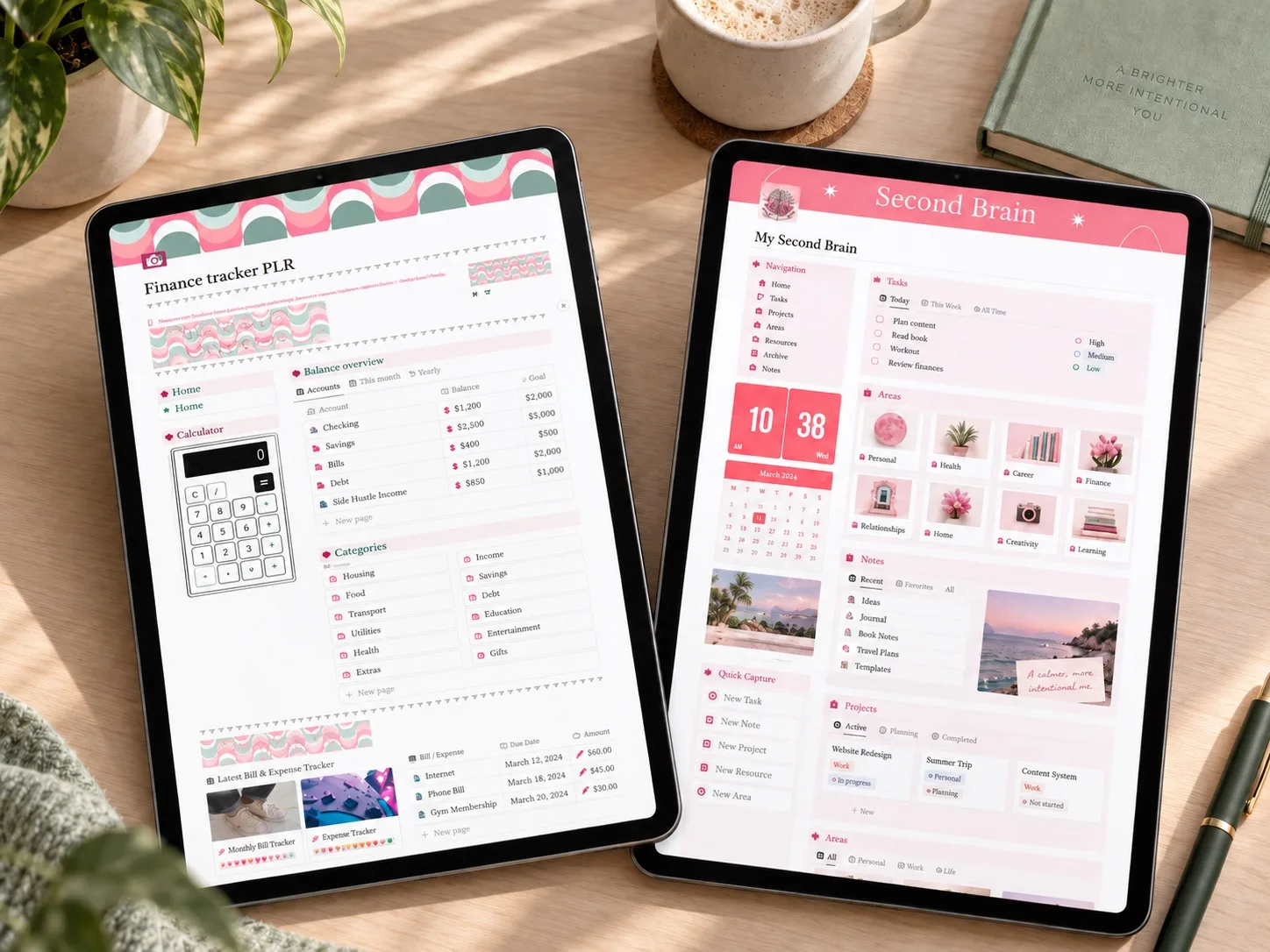
Choose the smallest system that answers your weekly questions. Add a second brain when you have a real use for the extra connections.
The quick answer
Choose a simple tracker if your main goal is to see income, expenses, bills, and savings in one place. Choose a second brain only if you also want projects, habits, notes, and life planning connected to the same workspace.
Faster setup
Lower maintenance
More sections
More upkeep
When a simple tracker is enough
A focused tracker works well when your weekly questions are financial: how much came in, where money went, what is due next, and whether a savings goal is moving. Fewer databases usually mean fewer decisions during the review.
Imagine opening your workspace on a Sunday evening. If all you want is a quick look at spending and the next few bills, a finance page may be enough. A reading list, project board, and habit tracker would give you more places to look after, without answering the question you came with.
Keep a short list of essential views before you shop: recent expenses, a monthly summary, and the goals you want to follow. Check that a template actually includes those views rather than assuming every finance tracker works the same way.
When a second brain makes sense
A broader system can help when financial decisions are tightly connected to projects, routines, or long-term planning. The benefit comes from those connections, not from having more pages. If you will ignore most of the workspace, the extra structure becomes maintenance.
For example, a home project might involve a spending plan, notes, a shortlist of purchases, and a sequence of tasks. Keeping these together could be useful. But a template with separate pages for each area does not necessarily connect them: look for an explanation of how the relevant databases work together.
What will you open on Sunday?
Start with the decision, not the template
Before looking at product previews, write down the three questions you want the system to answer each week. Then look for a setup that answers those questions directly. Treat unused sections as a cost, even when they look impressive.
Also think about where you will use it. A desktop layout with many columns can feel very different on a phone. Check the available mobile previews and setup instructions, particularly if you expect to enter expenses while away from your desk.
Finally, consider the information you already maintain elsewhere. Re-entering the same tasks or transactions in another tool adds work. A new template earns its place when it solves a specific problem in your existing routine.
Five questions before you choose
- Which three views will I check every week?
- How long will a normal update take?
- Can I remove sections I do not need?
- Are duplication and setup explained clearly?
- Am I choosing a system for my routine or for the preview image?
Three templates to compare
The selection includes one focused finance tracker, one finance-and-second-brain bundle, and one broad all-in-one system.
Compare all three before opening a product page
See how the three templates differ in scope, structure, and likely maintenance.
Compare the three planners →If you're running a shop, not just a household
The simple-versus-second-brain question changes shape once orders, pricing, and listings are involved. A personal finance tracker will not hold your product catalog, and a general second brain will not have a place for keyword research or sales discounts. That is a separate category worth a separate look.
Etsy Shop Dashboard
A Notion dashboard built specifically around shop orders, pricing, and content instead of personal finances.
Read the shop planner guide →Save the idea for later
A small reminder for your next planning session.
Save to Pinterest
Written by Calm Budgets